
Moderation and cases
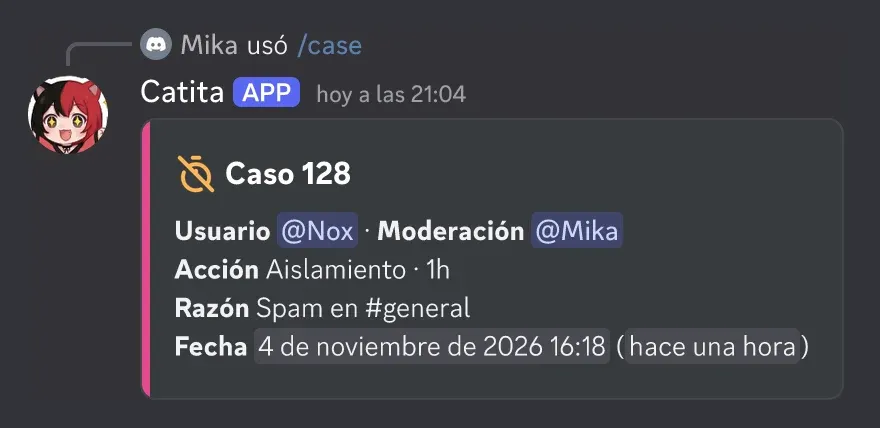
Catita logs every sanction as a numbered case. Configure it in /settings > Moderation.
Sanctions
Section titled “Sanctions”| Command | What it does |
|---|---|
/ban |
Ban, with confirmation and an option to delete their recent messages |
/kick |
Kick, with confirmation |
/timeout |
Time out for a while (or the server’s default timeout) |
/warn |
Warn and log it |
/unban |
Remove a ban |
Catita checks the role hierarchy: it won’t sanction someone with an equal or higher role, or someone its own role can’t reach.
/caseshows a case;/usercasesa person’s cases and/modcasesa staff member’s./addcontextadds a link to a message as evidence or context./warningslists warnings and lets you delete them./banlistshows the bans.
Settings
Section titled “Settings”- Log channel where sanctions are posted.
- DM notice to whoever is sanctioned.
- Required reason and required context.
- AutoCase: logs sanctions made manually in Discord as cases.
- Default timeout, for example 10 minutes.
/purgedeletes up to 100 messages, from one person or of one type (bots, images and files, text only)./rolecreates, edits, gives or takes roles, also for a while (30m,1h,1d)./saysends a message as Catita, also inside a panel./channellocks or unlocks a channel and sets slow mode.
Commands: moderation reference.
Catita is a project by Random Dev, a development studio owned by ZENU GROUP LLC. catita.gg